Never Overthink a Text Message Again
Get AI-powered reply suggestions that sound like you, reference your conversation history, and help you keep the momentum going—without the anxiety.
Screenshot to Conversation in Seconds
Our intelligent image understanding models extract conversations from any screenshot—WhatsApp, iMessage, Telegram, Instagram DMs, Hinge, Bumble, or any other messaging app. The AI reads the visual layout, identifies message bubbles, and converts everything into structured text.
- 01 Upload any chat screenshot from any app
- 02 AI extracts and structures the conversation
- 03 Edit extracted messages manually if needed
- 04 Conversation attaches to your AI chat for context
No more typing out conversations manually. Just screenshot, upload, and let the AI understand the full context of your chat history.
See It In Action
Upload a screenshot and watch AI extract conversations instantly
Original Screenshot
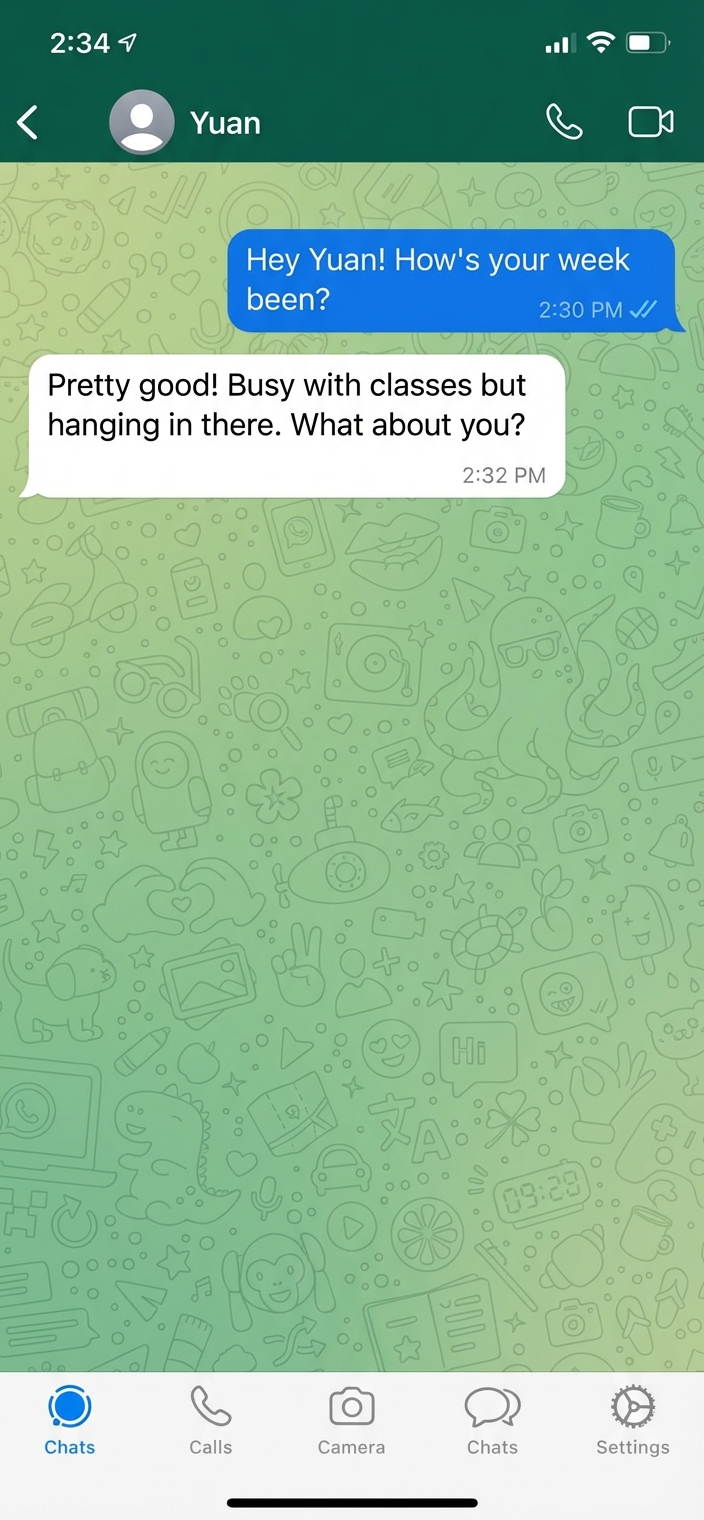
Extracted Conversation
The Texting Struggle Is Real
You've been there: staring at your phone, typing and deleting the same message five times. Is it too eager? Not interested enough? Too formal? Too casual? Should you use that emoji or not?
Modern dating happens through text messages, and every message feels like it carries weight. One wrong word can kill the vibe. One missed opportunity can let the conversation die. The pressure is real, and it's exhausting.
That's where Crushable's texting assistant comes in. It's not about giving you generic templates or making you sound like a robot. It's about helping you express yourself better, with confidence, in your own voice.
How the Texting Assistant Works
Our AI-powered texting assistant analyzes your conversation history, understands your communication style, and generates reply suggestions that actually sound like you. Here's what makes it different:
Context-Aware Suggestions
The AI remembers your entire conversation history. It knows you talked about their favorite coffee shop last week, or that inside joke from three days ago. Suggestions reference real moments, not generic small talk.
Your Voice, Enhanced
The system learns your natural texting style—your humor, vocabulary, emoji usage, and tone. Suggestions feel authentic because they're based on how you actually communicate, just refined.
Multiple Options
Get 3-5 different reply suggestions for every situation, ranging from playful to sincere, bold to subtle. Choose the one that feels right, or use them as inspiration to craft your own.
Smart Timing
The AI considers response time patterns and conversation momentum. It knows when to suggest a quick reply versus giving space, helping you maintain natural flow without seeming desperate.
Ready to Text with Confidence?
Join users who've transformed their texting game with AI assistance.
Get Started FreeReal Texting Scenarios, Solved
See how the texting assistant helps in common situations where you might get stuck:
Beyond Basic Templates: The Rizz AI Difference
You might have seen other "rizz AI" tools or texting apps that promise to help with messages. Here's what makes Crushable's texting assistant different:
No generic pickup lines. We don't give you cheesy one-liners or manipulative "techniques." The goal is authentic connection, not tricks.
Learns your style. Most texting tools give everyone the same suggestions. Ours adapts to your unique communication patterns, so replies sound like you.
Context is everything. Generic AI tools don't know your conversation history. Ours remembers everything you've talked about, creating suggestions that build on your actual relationship.
Multiple approaches. Instead of one "perfect" message, you get options ranging from playful to sincere, giving you flexibility based on your mood and the situation.
Common Texting Mistakes (And How to Avoid Them)
The texting assistant helps you avoid these common pitfalls that kill conversations:
The Interview
Mistake: Asking question after question without sharing about yourself.
Fix: The AI suggests responses that answer their question AND add something about you, creating balanced conversation flow.
The Novel
Mistake: Sending walls of text that overwhelm and pressure them to respond with equal length.
Fix: Suggestions match their message length and energy, maintaining natural conversation rhythm.
The Ghost
Mistake: Taking too long to respond, making them think you're not interested.
Fix: The AI considers timing patterns and nudges you when it's been too long, with suggestions for natural re-entry.
The Tryhard
Mistake: Being too eager, too available, or trying too hard to impress.
Fix: Suggestions maintain confident, relaxed tone that shows interest without desperation.
How to Get the Most from Your Texting Assistant
Here are pro tips for using the texting assistant effectively:
- Feed it context: Screenshot conversations or log key details about your interactions. The more context the AI has, the better the suggestions.
- Use it as inspiration: You don't have to copy suggestions word-for-word. Use them as starting points and adjust to match your exact mood and situation.
- Learn from patterns: Pay attention to which suggestions work best. The AI learns from your choices and gets better over time.
- Trust your gut: If a suggestion doesn't feel right, don't use it. The AI is a tool to enhance your judgment, not replace it.
- Stay authentic: The goal is to be the best version of yourself, not to pretend to be someone you're not. Use the assistant to express yourself better, not differently.
Privacy and Your Conversations
We know your text conversations are deeply personal. Here's how we protect your privacy:
Your data stays private. Conversation screenshots and logs are encrypted and stored securely. We never share your data with third parties or use it to train public AI models.
You control what's shared. The AI only sees what you choose to upload. You can delete any conversation data at any time.
No tracking or selling. We don't track your actual text messages or sell your information. The texting assistant only works with data you explicitly provide.
Transform Your Texting Game
Stop second-guessing every message. Get AI-powered suggestions that help you connect authentically.
Start Your Free TrialNo credit card required • Free credits included